
Step 1:
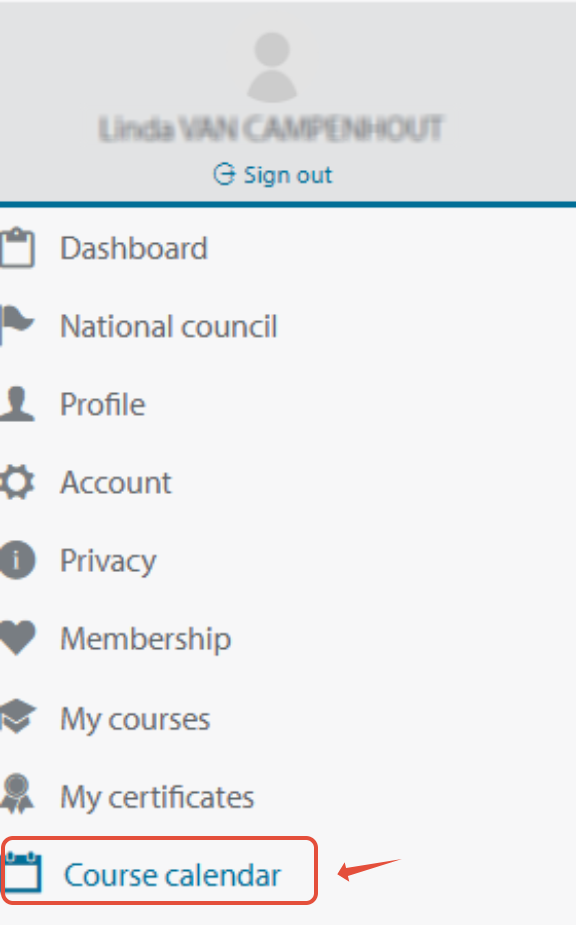
Go to the Course calendar:
In the leftside bar of your CoSy account
 Step 2:
Fill in your parameters and find a course:
Select 1 or multiple countries, search for a specific course type, search on course language, select a date range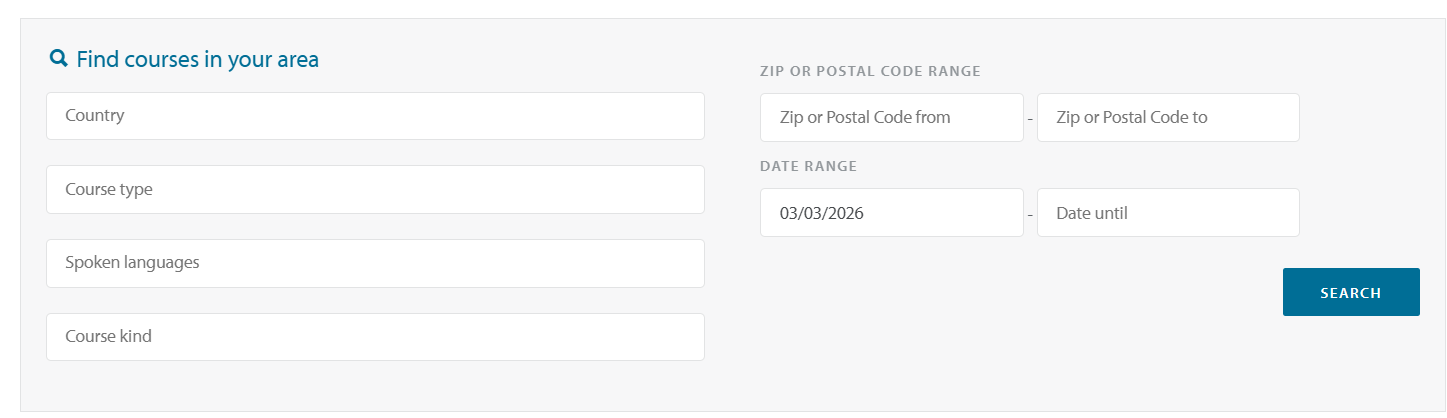 Click Search:
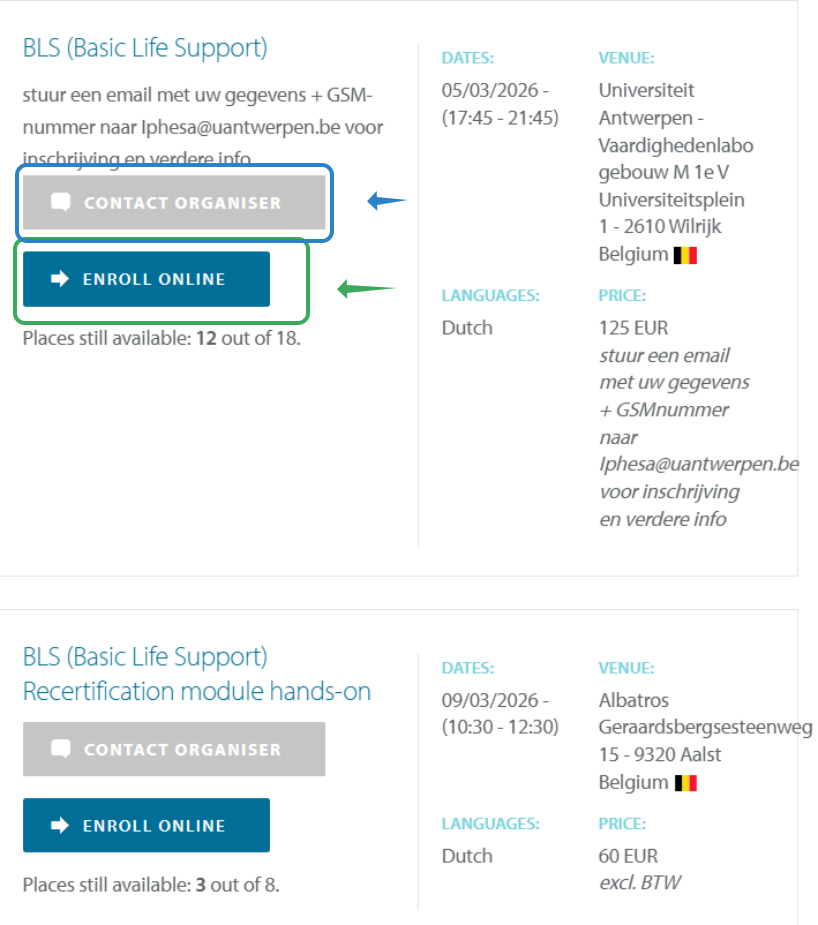
A list of upcoming courses will appear:
Click on: Enroll online: You can immediatly enroll in the course
Click on : Contact Organiser: online enrollment has not been selected as an option, to enroll in the course or ask additional information about the course us this button.
There are no courses available, What do I do now?
Please check the calendar regularly, It is possible that not all upcoming courses have been added to the calendar yet.
I'm currently in the UK
please contact: info@resus.org.uk
UK courses are not visbile in the ERC calendar
I want to follow a course in Qatar:
Please contact course center: Hamad Interprofessional Education and Training Department -HIPETsupport@hamad.qa
If this has not helped you please contact us via the support widget or via mail: support@erc.edu