
- Log in to your CoSy account.
- Click on My Courses in the left-hand sidebar.

- Click on Learning Materials.
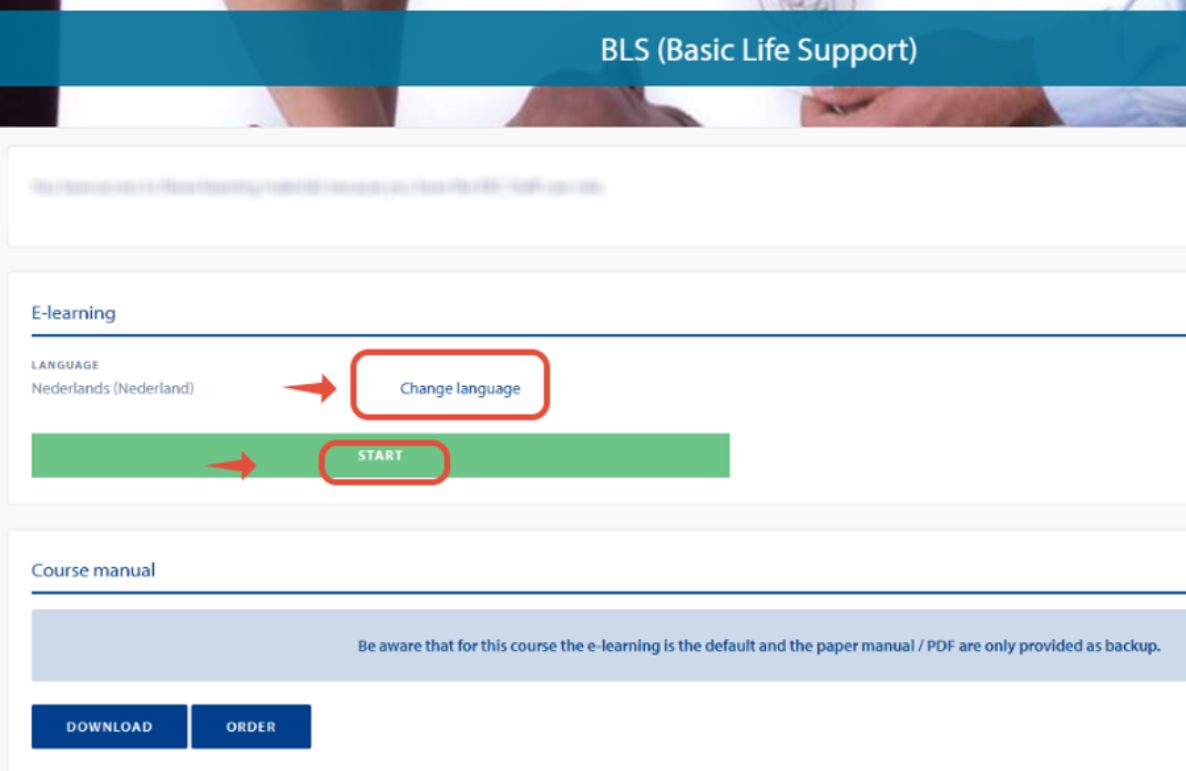
- You can change the language by clicking on "Change Language". All available languages will then be displayed.
Please note: If you have already started the course, your progress will be reset and the course will restart from 0%. - Click Start.
The course will open in a new window. - Final Pre-Course MCQ:
- You have multiple attempts to pass the test.
- With each new attempt, the test will restart from 0%.
- Please answer all questions, not only the ones that were answered incorrectly in your previous attempt.
How can I open my online course? Print
Modified on: Wed, 28 Oct, 2026 at 2:47 PM
Did you find it helpful? Yes No
Send feedbackSorry we couldn't be helpful. Help us improve this article with your feedback.