
Step 1: Login to your CoSy account
Step 2: Click on : My courses in the leftside bar

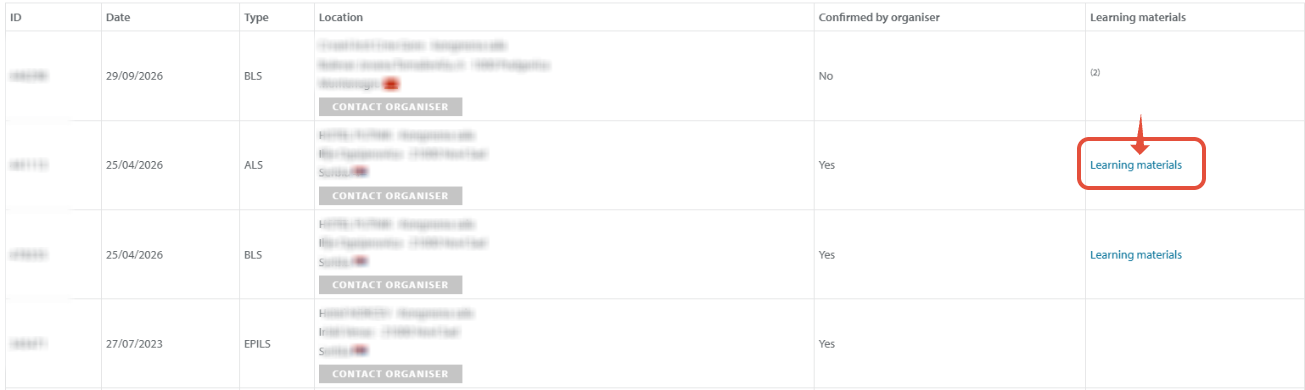
Step 3: look for the correct course type and course date
- Click on "Learning materials"
Step 4: start the course
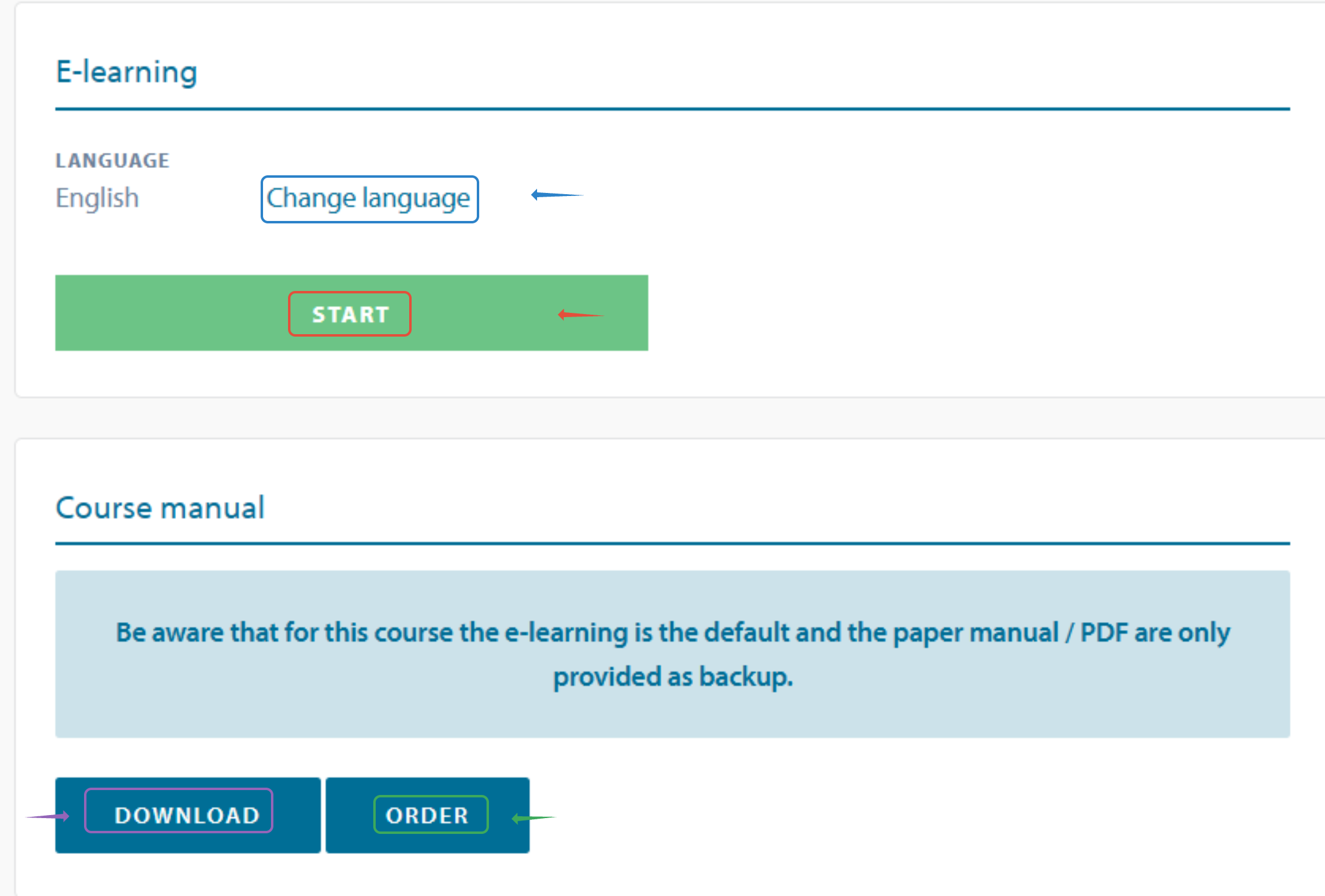
click on Change language: to see all available languages
click on start: to start the course
click on download: to download the pdf manual
click on order: to order the paper manual