Two-factor authentication (2FA) adds an extra layer of security to your CoSy account and is required for users who have access to information about others (such as a course director, course organisor).
Setting up 2FA
- Log in to CoSy.
- Follow the instructions displayed on screen.
- Scan the QR code using an authenticator app on your mobile phone.
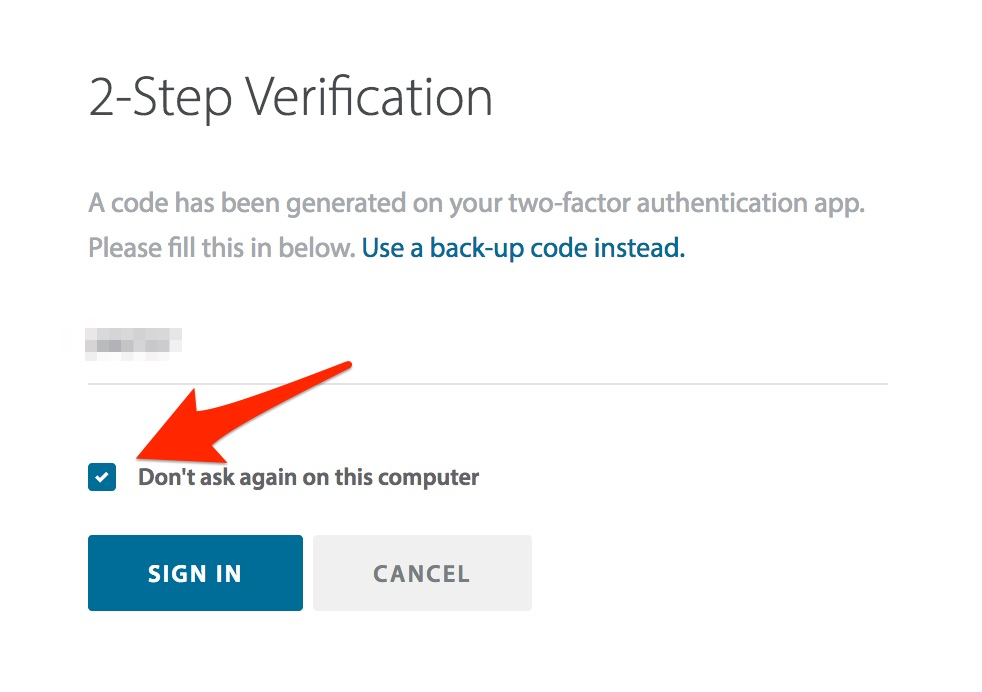
- Enter the verification code generated by the app.
- Complete the setup process.
Recommended authenticator apps
- Microsoft Authenticator
- Google Authenticator
- Authy
Remember this device
If you are using a trusted device, select Remember this device.
This will prevent CoSy from requesting a verification code every time you log in on that device.