- Log into your account on CoSy
- Click on "My certificates" in the left side bar
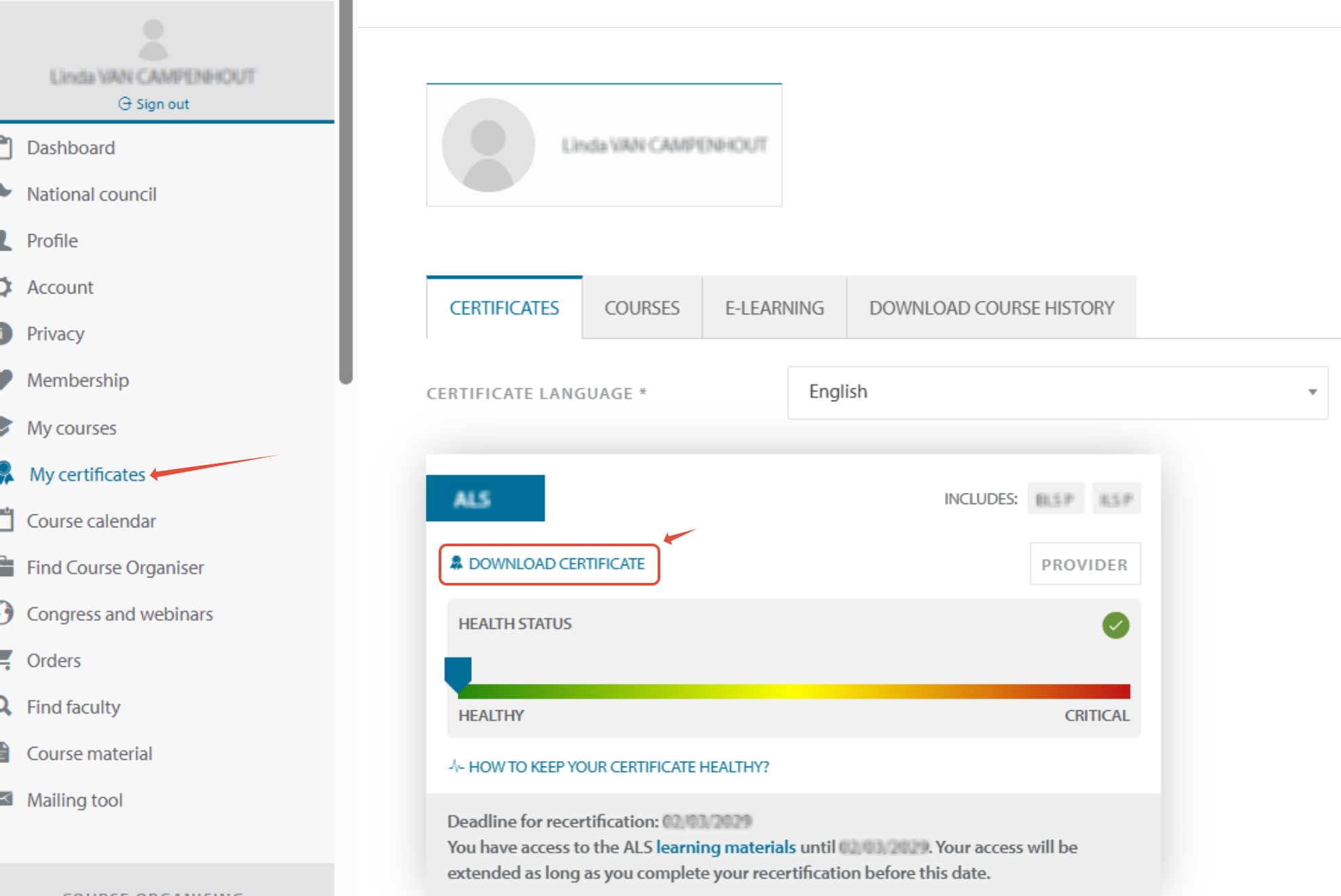
- Click on download certificate to download your certificate.
PLEASE BE AWARE that certain certificates might include other ones
e.g. an ALS provider is also an ILS provider or a Course director is also instructor.
In such a case you will only see and be able to download the most advanced one.
To download a letter of participation for the courses you attended for which no certificate has been issued, please check your "My courses" page.
If you have attended a course and been awarded a certificate, but cannot find it in your account, please make a ticket via our widget and include your name along with the type, date and location of the course you attended.
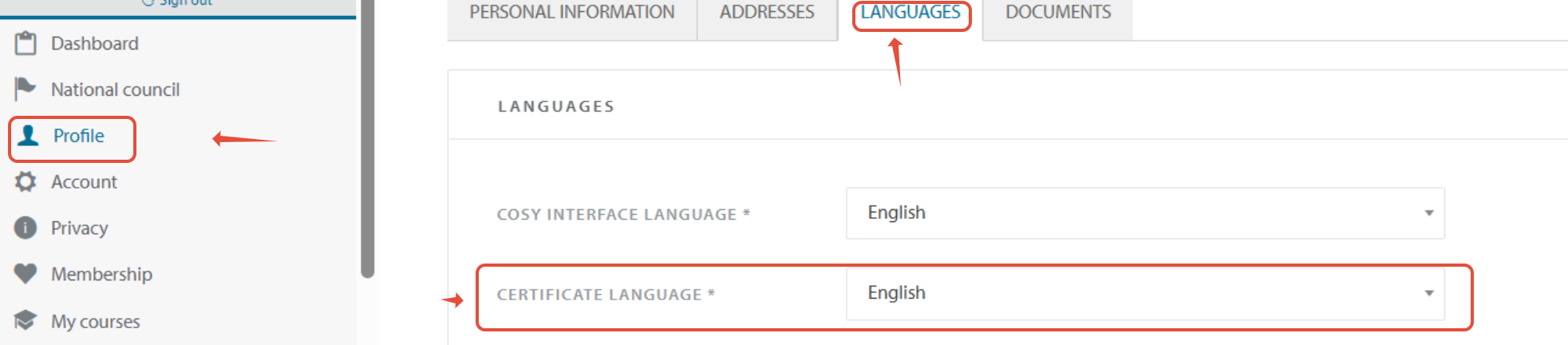
Need your certificate in another language?
Click in the lefside bar on : "Profile"
Go to the tab Languages
You can change the certificat language by clicking in the dropdown menu next to: "certificate language"