
1. In the Course Organising section of the left sidebar, click Add new course
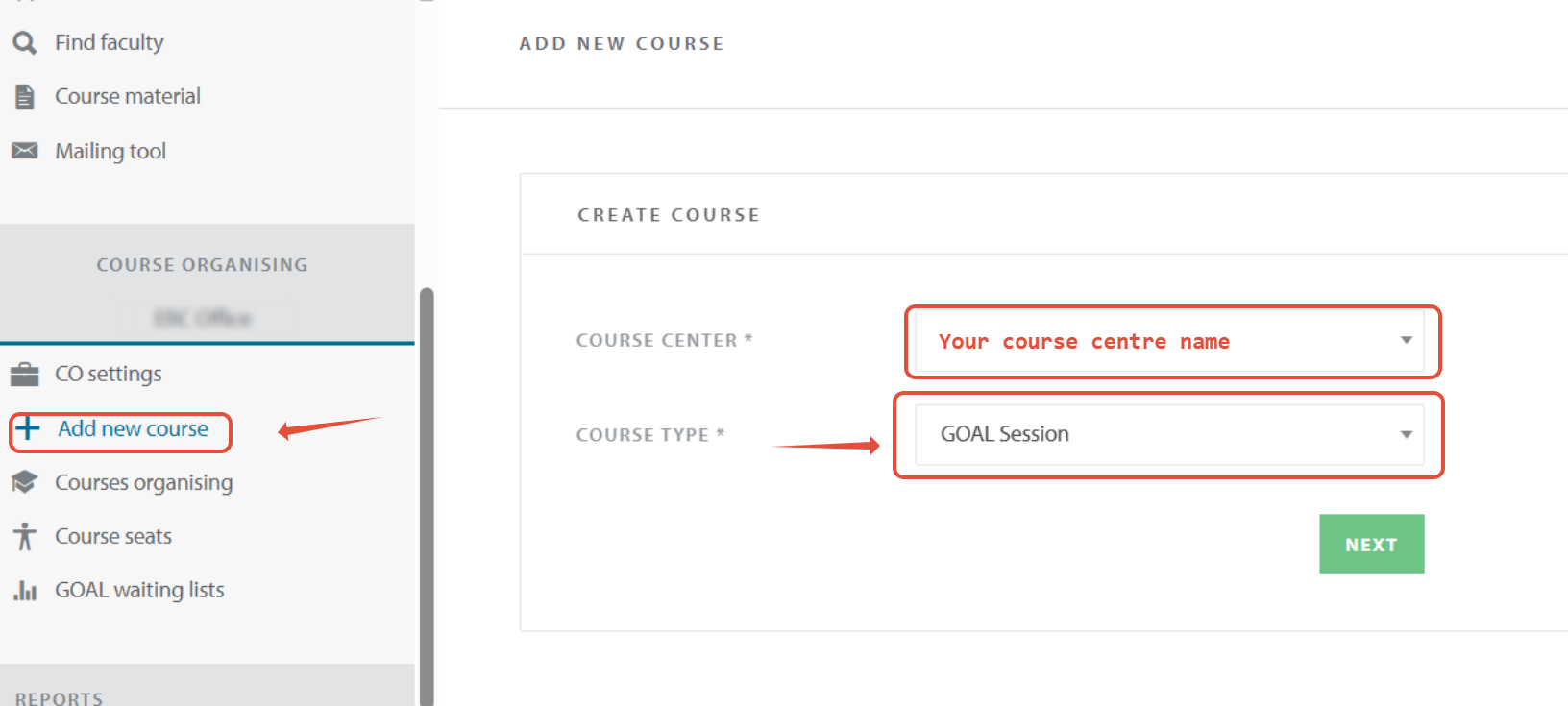
2. On the add new course page, select GOAL session and click NEXT
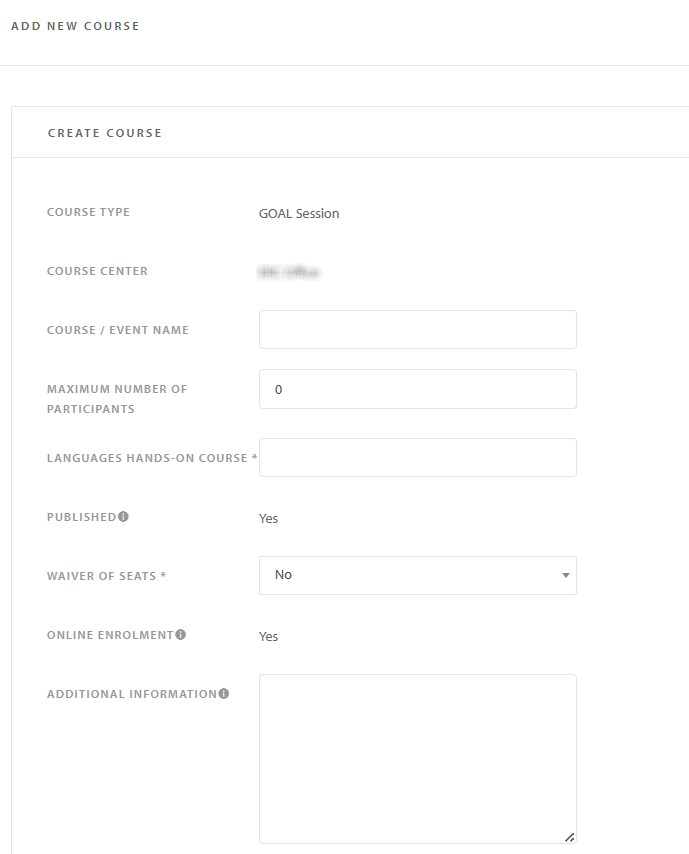
3. On the Create course page:
- All content boxes with an * need to be filled otherwise the new course cannot be created.
- For the HANDS-ON COURSE multiple languages can be selected.
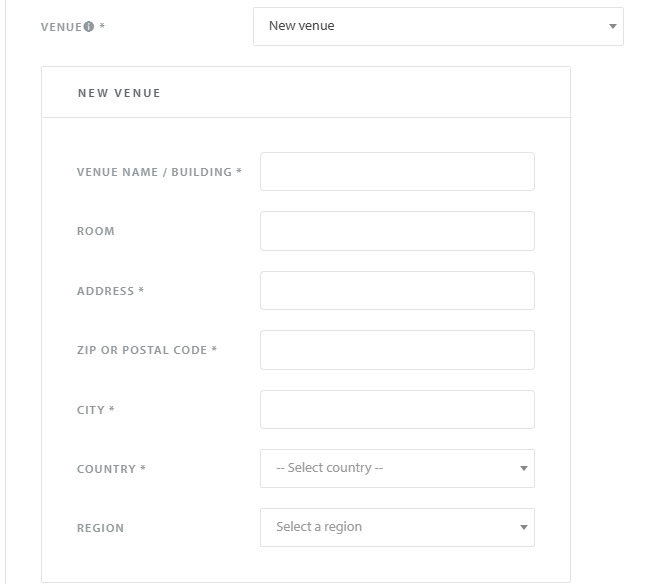
- Enter a new venue or select a venue previously used from the dropdown menu.
- Set the date and time of the course
If there are multiple sessions on 1 day, please add them as separate courses. Do not use the add date button.
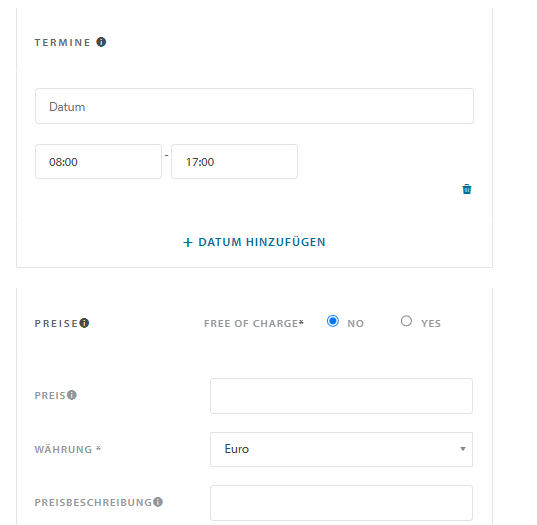
- Set the price for participating in the course. You can create multiple prices and currencies by clicking the + ADD PRICE button.
- We recommend to add a price description for the target participant when using multiple prices.
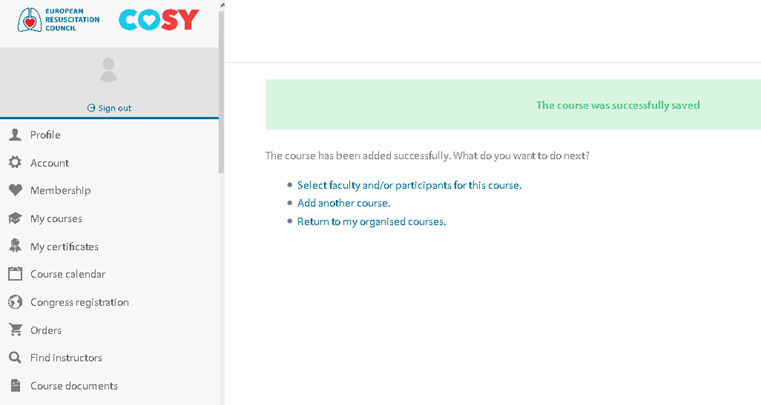
5. Click the SAVE button to create the course. You will see following message if the course has registered successfully.
2